Corporate resume template
A header split across two columns, Merriweather headings, an institutional blue. Rigorous structure, corporate tone.
Free, no credit card.
- When to pick it
- Cut out for large companies and formal hiring processes that expect a by-the-book document.
- Industries
- Enterprise · Legal · Audit · Energy
Who this template is for
This template is cut out for large organisations and their signposted processes: an application pack to submit, a form to fill, a resume that will be compared line by line with twenty others. Enterprise, legal, audit, energy: environments that expect a by-the-book document and where the smallest deviation in form reads as a lack of seriousness. It also works for internal applications, where the resume circulates across several departments before reaching the decision maker.
How the layout is built
The header spans the full width and splits in two: your name and the target role on the left, the contact block right-aligned. The body returns to one column. In each experience entry, the lead line gathers the role, the company and the location on the left and the dates on the right, producing a perfectly aligned column of dates down the page. Section headings are set in Merriweather, a serif that stays legible at small sizes, and the institutional blue underlines the separators without ever colouring the running text.
With or without a photo
No photo by default. The formal processes this template addresses often call for an anonymisable resume, and many large companies strip the photos themselves before the first screening. If your field expects one anyway, take Modern, which keeps the same sober spirit.
ATS readability
This is one of the sturdiest templates in the catalogue for automated parsing, and that is no accident: large companies are precisely the ones that filter the most. The two-column header only holds contact details, the body is linear, the column of dates comes from text alignment rather than from a table, and the sections carry standard headings.
PDF and Word export
In PDF the right-alignment of the dates is pixel-exact, which is the template’s main effect. In DOCX that alignment is rebuilt with tab stops: it holds in Word and LibreOffice, but a very long line may wrap. So PDF remains the format to prefer whenever the submission lets you choose.
Closest templates
If this one is not quite right, these three play in the same register.
All resume templates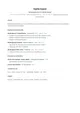
Classic
A sober single-column layout set in Lato, with no ornament. Sections follow the order recruiters expect and every line stays readable by applicant tracking systems.
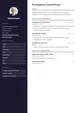
Executive
A dark sidebar gathers the photo, contact details and skills while the main column lays out achievements. EB Garamond headings set the measured tone expected at this level.
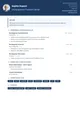
Modern
A two-column header with a photo, a midnight-blue accent and Raleway throughout. Contemporary without being loud.
Ready to fill the Corporate template?
Paste the posting, Jobtae rewrites your track record to answer it, then exports it in this template as PDF or Word.