Executive resume template
A dark sidebar for the profile, a main column for the achievements. The career becomes legible in a single glance.
Free, no credit card.
- When to pick it
- Built for a senior or executive resume, where the career has to be legible at a glance.
- Industries
- General management · Finance · Manufacturing · Consulting
Who this template is for
This template is built for applications where the question is no longer “can they do the job” but “at what level do they play”. General management, finance, manufacturing, consulting: roles where the resume is read by a headhunter, a committee chair or a shareholder, and where fifteen years of experience have to fit without collapsing into a list. It also suits middle managers aiming one notch higher who want the layout to imply it.
How the layout is built
The page is split into two permanent columns. On the left, against a dark background, the photo, your name, a Contact block, the skills and the languages: everything that is scanned rather than read. On the right, against white, the target job title opens the column, followed by the summary, the experience and the education. Headings are set in EB Garamond, a serif that carries the measured tone expected at this level, and the accent is a near-black midnight blue. Achievements stay as short bullets rather than paragraphs.
With or without a photo
The photo is on by default and sits at the top of the dark column, where it reads as a portrait rather than as an administrative thumbnail. Without a photo the column starts straight on your name and stays balanced: nothing to adjust.
ATS readability
The sidebar is a layout, not a table: the document remains a single text flow, and the parser reads the left bar and then the main column, in that order. Skills are spelled out there, never as rating bars or stars, which those tools cannot interpret. White text on a dark background is still selectable text.
PDF and Word export
The PDF is the reference version: the dark column background is vector there and prints without a grey band. In DOCX the sidebar becomes a frame; the content is fully preserved and editable, but the background tint and the photo position may need a touch-up if the recruiter reopens the file in an older version of Word.
Closest templates
If this one is not quite right, these three play in the same register.
All resume templates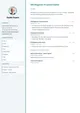
Slate
A slate sidebar carries the photo, contact details, skills and languages; the main page stays white and dense, paced by a teal accent.
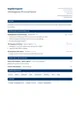
Corporate
A header split across two columns, Merriweather headings and an institutional blue. Rigorous structure, corporate tone.
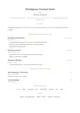
Elegant
Cormorant Garamond headings, hairline separators punctuated by a diamond and a gold accent. Quiet elegance, almost no bold weight.
Ready to fill the Executive template?
Paste the posting, Jobtae rewrites your track record to answer it, then exports it in this template as PDF or Word.