Did you know that 75% of resumes are rejected by an Applicant Tracking System (ATS) before a recruiter even sees them? If you're applying to jobs online and not hearing back, your resume might not be optimized for the robots that filter candidates.
What is an ATS?
An Applicant Tracking System is software used by employers to manage the recruitment process. It parses your resume, extracts information, and ranks candidates based on keywords from the job description. If your resume isn't ATS-friendly, it gets filtered out — no matter how qualified you are.
Key principles of ATS optimization
1. Use standard section headings
Stick to conventional section titles that ATS systems easily recognize:
- Professional Summary or Objective
- Work Experience or Professional Experience
- Education
- Skills
- Certifications
Avoid creative headings like "Where I've Been" or "My Toolbox" — they confuse automated parsing.
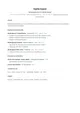
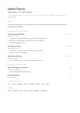
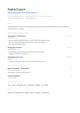
2. Choose a simple, clean layout
ATS parsers struggle with:
- Tables and columns
- Graphics and icons
- Headers and footers with important content
Use a single-column layout with clear hierarchy. This is where tools like Jobtae shine — our resume templates are designed to be both ATS-friendly and visually appealing. Single-column designs like Classic and Minimal are the safest bet for automated screening.
3. Match keywords from the job description
ATS systems score resumes by matching keywords from the job posting. To optimize:
- Carefully read the job description and identify repeated skills and qualifications (see how to read between the lines of a job posting for a structured approach)
- Incorporate those exact terms naturally into your resume
- Focus on both technical and interpersonal skills mentioned
4. Use standard file formats
Upload your resume as .docx or as a text-based PDF (a real PDF with selectable text, not a scan or image). Both formats are well supported by modern ATS systems, as long as the content is actual text rather than an embedded image.
5. Avoid graphics and charts
While a skills meter chart might look nice, ATS parsers can't read images. List your skills with text only:
Bad: A bar chart showing "85% proficiency in Python" Good: "Python — Advanced"
Common ATS mistakes to avoid
| Mistake | Why It Hurts |
|---|---|
| Using headers/footers for contact info | Many ATS parsers skip headers and footers |
| Abbreviating months (Jan. vs January) | Inconsistent date formats confuse parsers |
| Using fancy fonts or symbols | May not render correctly |
| Saving your resume as JPEG or PNG | An image, not a document — the ATS can't extract text |
Tailor every application
The most effective strategy is to tailor your resume for each job. A generic one-size-fits-all resume will always underperform against a targeted version that speaks directly to the role.
With Jobtae, you can tell your career story once and generate a tailored, ATS-optimized resume for each application in seconds. Our AI analyzes both your profile and the job offer to create a resume that passes automated filters and impresses recruiters.
Final checklist
Before submitting your next application, run through this checklist to maximize your chances of landing an interview:
- Standard section headings
- Single-column layout
- Keywords from the job description included
- Content tailored to the target role
- .docx or text-based PDF
- No images, charts, or graphics
- Contact info in the main body, not in the header/footer