Timeline resume template
Experiences run down a vertical timeline: a date, a dot, an achievement. Career progression reads in three seconds.
Free, no credit card.
- When to pick it
- Made for a linear, uninterrupted career where moving up role by role is the main argument.
- Industries
- Engineering · Manufacturing · Public service · Retail
Who this template is for
This template is made for linear, uninterrupted careers where moving up role by role is the main argument. Engineering, manufacturing, public service, retail: sectors where tenure and growing responsibility count as much as skills. It showcases a career built across two or three employers. Conversely, avoid it if your path has gaps, a string of short assignments or a career change: the timeline would only make those breaks more visible.
How the layout is built
The header gathers your name and the target role on the left, the contact block on the right. The experience section then becomes a genuine timeline: each role is marked by a dot linked to the next by a vertical line, with the content unfolding to the right of the marker. Education, skills and languages return to a classic presentation below, so the effect is not diluted. The purple accent colours the dots and the timeline stroke, and nothing else.
With or without a photo
No photo. The vertical axis of the timeline already gives the reading a strong direction, and a portrait in the header would create a competing second entry point. If a photo is essential, Modern or Slate suit better.
ATS readability
The dot and the stroke are graphic elements with no text: the parser sees an ordinary run of experiences, with a role, dates and bullets. The timeline is not a table and introduces no column, so the reading order stays that of the page. With the dates both visible and spelled out, it is a comfortable template for tools that reconstruct a chronology.
PDF and Word export
In PDF the timeline is vector: the dots and the stroke stay crisp in print as when zoomed. In DOCX the timeline is the one element that does not transpose identically; the experiences are rendered as a list, with the dates preserved but without the vertical stroke. The content loses nothing, the staging does.
Closest templates
If this one is not quite right, these three play in the same register.
All resume templates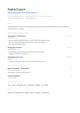
Nordic
An airy DM Sans grid, small-caps section titles and a cool blue. Scandinavian in spirit: clear, calm, functional.
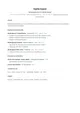
Classic
A sober single-column layout set in Lato, with no ornament. Sections follow the order recruiters expect and every line stays readable by applicant tracking systems.
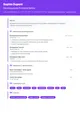
Creative
Numbered sections, rounded Nunito shapes and a confident purple holding the page together. It stands out of the pile without giving up legibility.
Ready to fill the Timeline template?
Paste the posting, Jobtae rewrites your track record to answer it, then exports it in this template as PDF or Word.